Glake
Get in touch
Development · FinTech

AI assistant for social media content

The platform generates on-brand text, images, and video and publishes them to 10+ social networks once an executive approves them. No copywriter, designer, video editor, social media manager, or analyst required


Strong Finance
Strong Finance · 10+ social networks from one dashboard
Discuss a similar projectAll case studies
AI assistant for social media content
10+
social networks with auto-posting
15–20
minutes a day to approve content
3
formats: text, images, and video
5
specialists you don’t need to hire
01 · The challenge

What the client needed

Strong Finance is an online broker of financial and legal services for businesses: loans, leasing, business banking, and real estate deals. The company has been in business for five years.

Social media helps show clients the depth of the brand’s expertise, but only if the accounts are run consistently and kept current: writing posts, making carousels and videos, publishing on schedule on every platform, analyzing results, and keeping an eye on competitors.

That usually takes a whole team: a copywriter, a designer, a video editor, a social media manager, and an analyst.

Without that team, posts either don’t go out at all or eat into the time of employees who should be working with clients.

The client wanted content production set up so that the expert only receives and approves ready-to-publish materials — and has no hand in making them.

What stood in the way
A whole team of specialists
It takes a copywriter, designer, video editor, social media manager, and analyst all at once, and keeping that team on staff is expensive.
No time for content
The company has the expertise, but no one to turn it into posts, carousels, and videos.
Manual publishing
The same post had to be uploaded to each platform separately and adapted to its format.
02 · The solution

What we built

01

On-brand content without a team

The company uploads its logo, brand colors, and fonts once, describes its brand voice, and lists its competitors. From there, the platform creates text, images, graphics, and narrated videos in that style. No separate writers, designers, or video editors needed.

02

Approval, not production

All finished content lands in one dashboard, and the executive reviews it in 15–20 minutes a day, editing some pieces and approving others. Nothing goes live without their sign-off, so a human always makes the final call.

03

Hands-free publishing and analytics

Approved content goes out to 10+ social networks, with the format adapted to each platform. The executive sees which posts performed and which didn’t, and what competitors are up to. One account can run several companies, with each company’s content kept separate.

03 · Demo

How the content engine works

Here’s what happens at each stage, from brand setup to publishing and analytics.
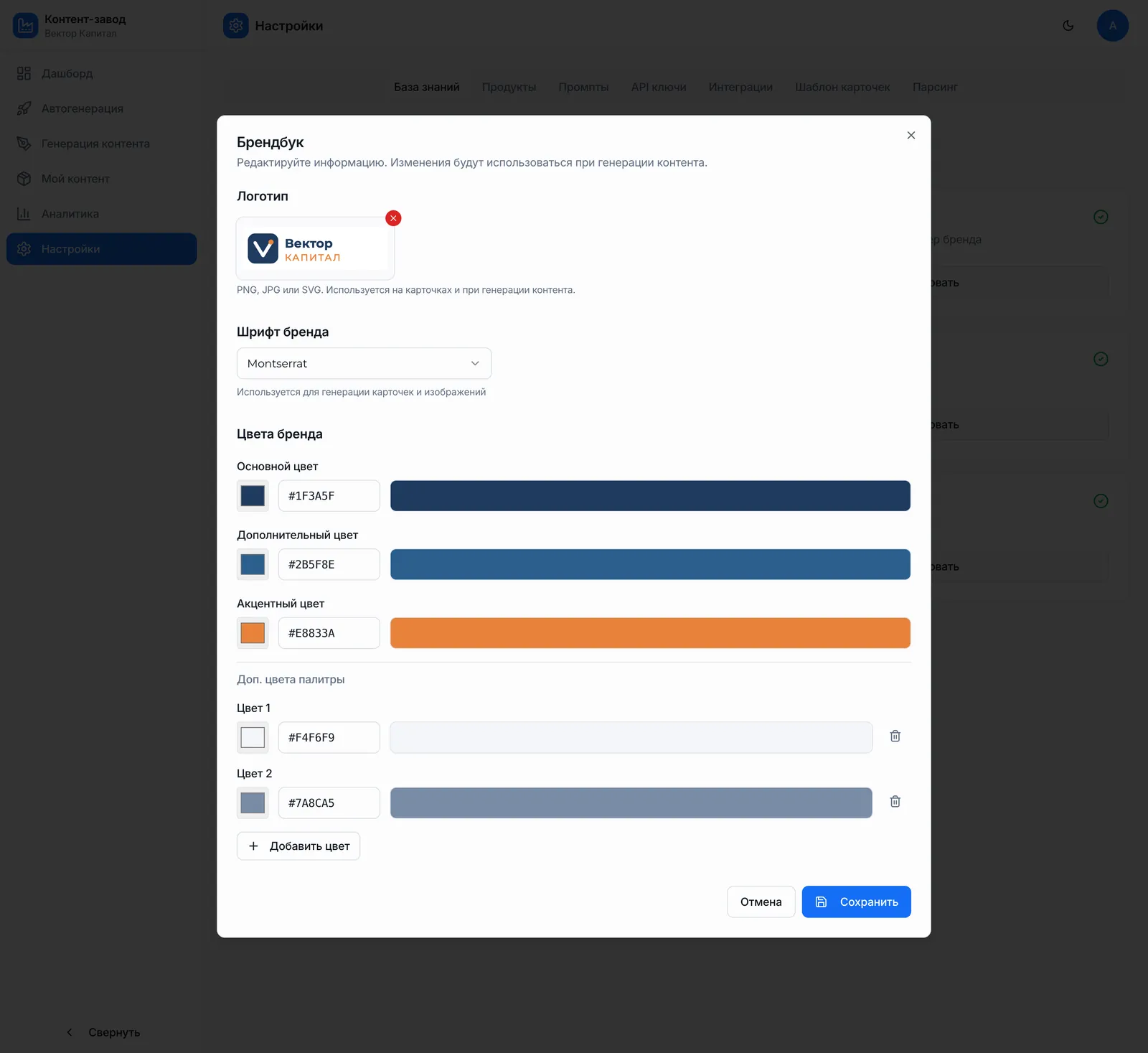
Brand kit in the settings: logo, font, and brand colors
Step 1

Brand settings

The logo, brand colors, fonts, tone of voice, and competitor list live in the company settings. These rules are added to every generation request automatically, so the copy sounds like the company and the graphics look like its own branded materials, not a generic template.
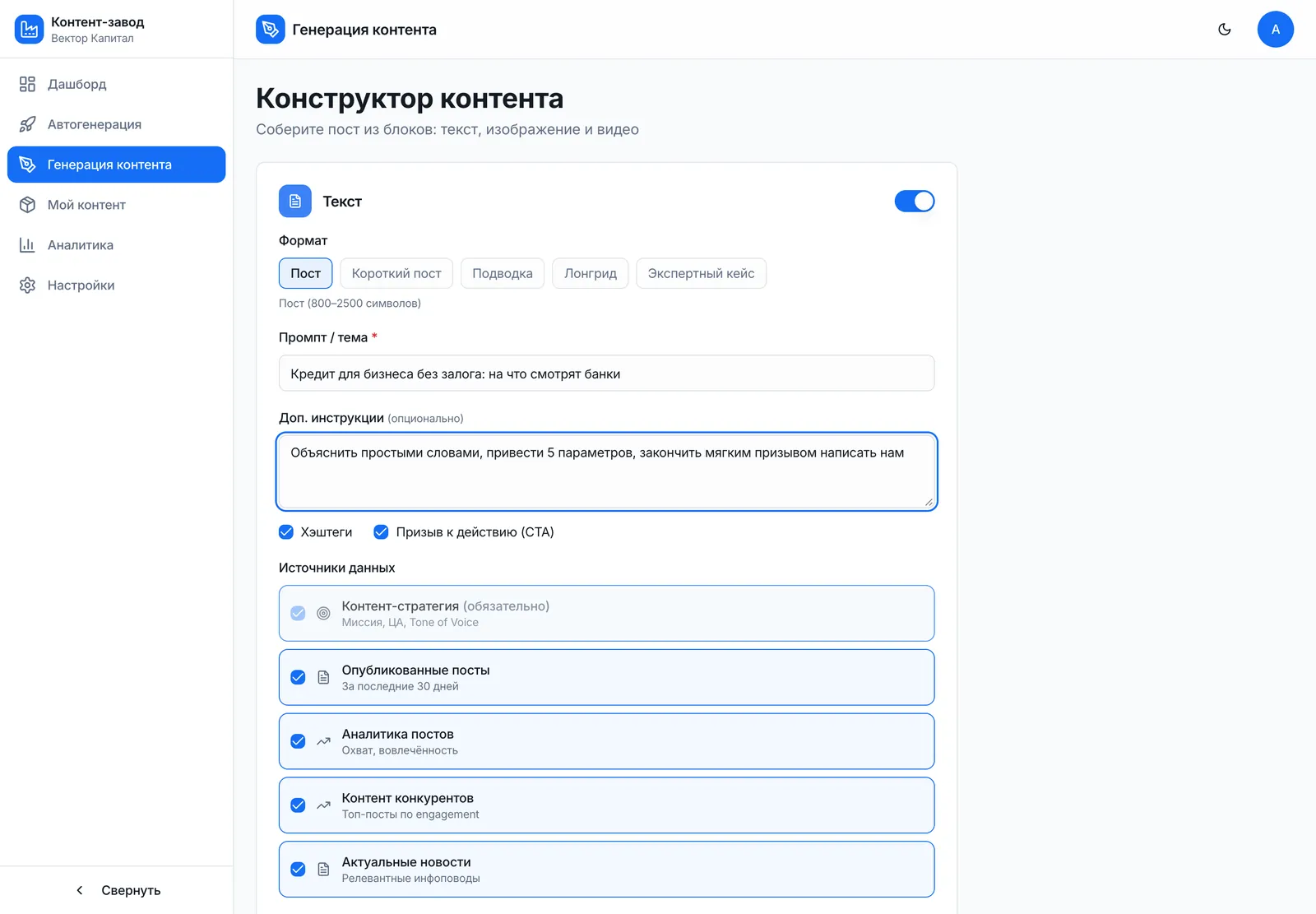
Content builder: format, topic, and data sources for a post
Step 2

A dedicated service per format

Copy comes from a language model, images and graphics from an image generator, and video, voiceover, and the talking avatar from separate services. Colors, font, and logo are applied to the finished materials automatically, so every format looks consistent. You can build a post by hand from blocks or get a complete content plan in one go.

A post pending approval: the executive edits or approves it
Step 3

Approval

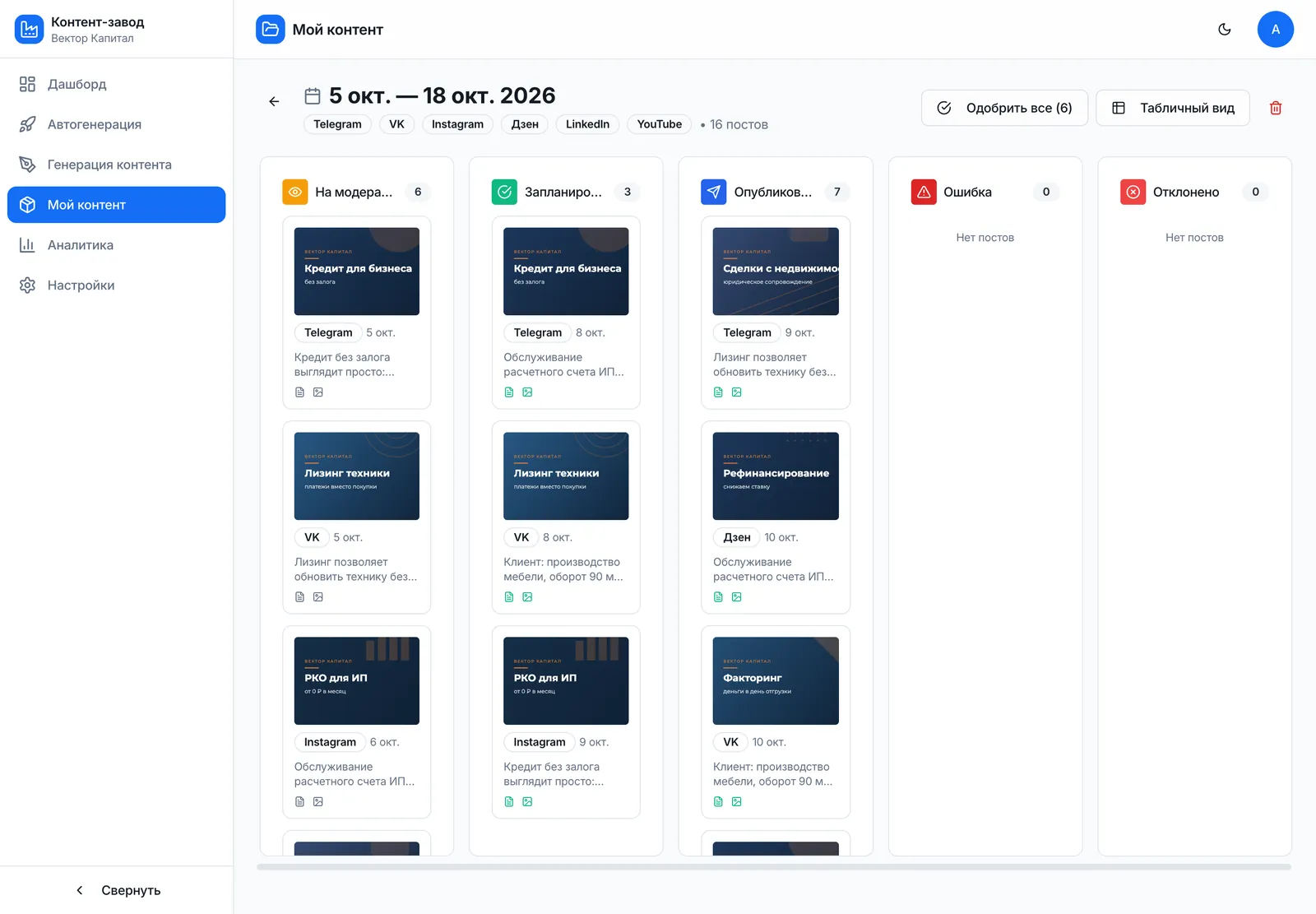
Finished materials go into a shared approval queue. The executive reviews it, fixes whatever needs changing, and approves the rest. Nothing is published until it’s approved, so a human stays in control of everything that goes out under the company’s name.
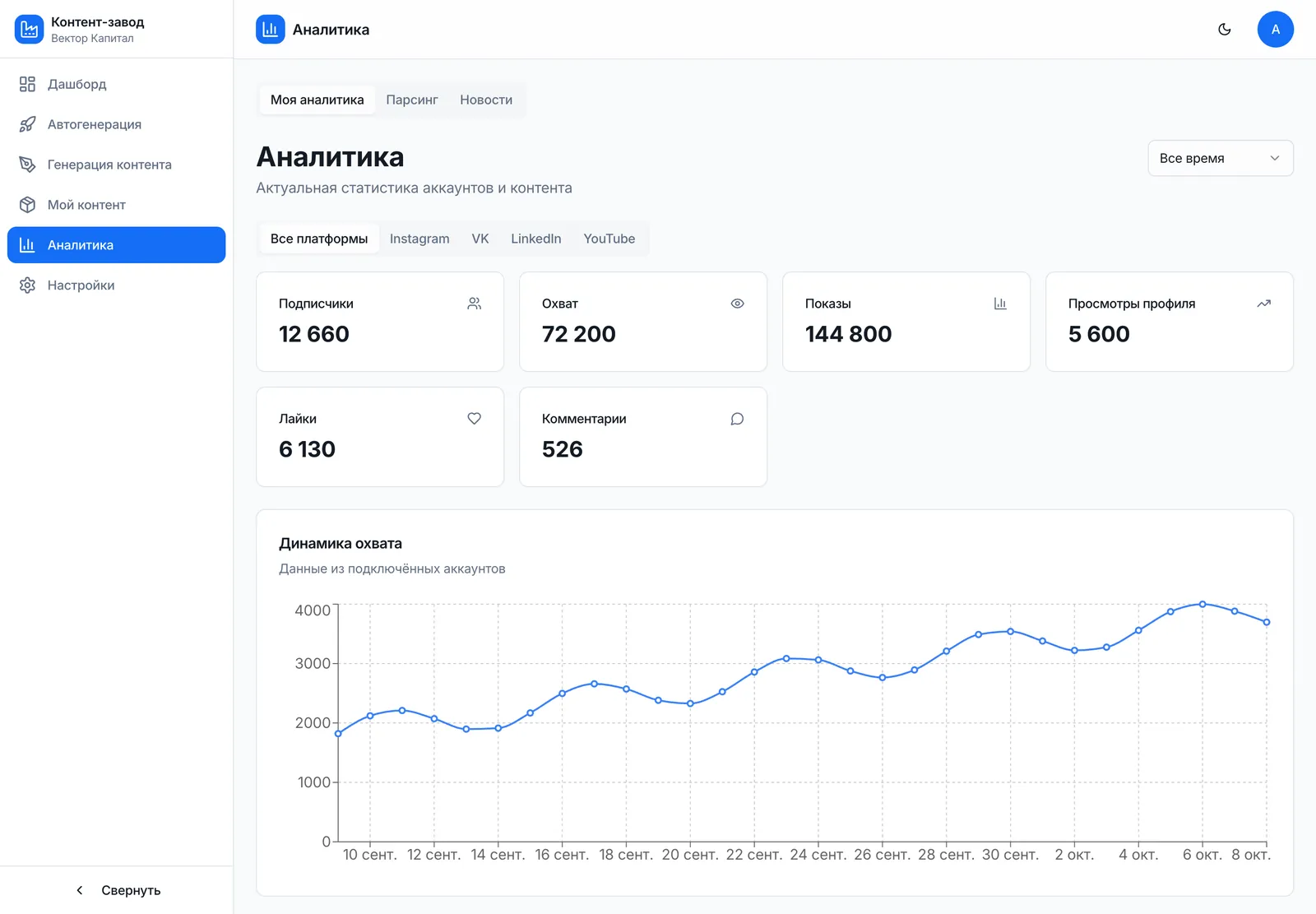
Analytics for connected accounts
Step 4

Publishing and analytics

Once approved, content is published to social networks, with the format adapted to each platform. Then the analytics come in, showing which posts performed and which didn’t. Meanwhile, the platform tracks content from the competitors listed during setup.
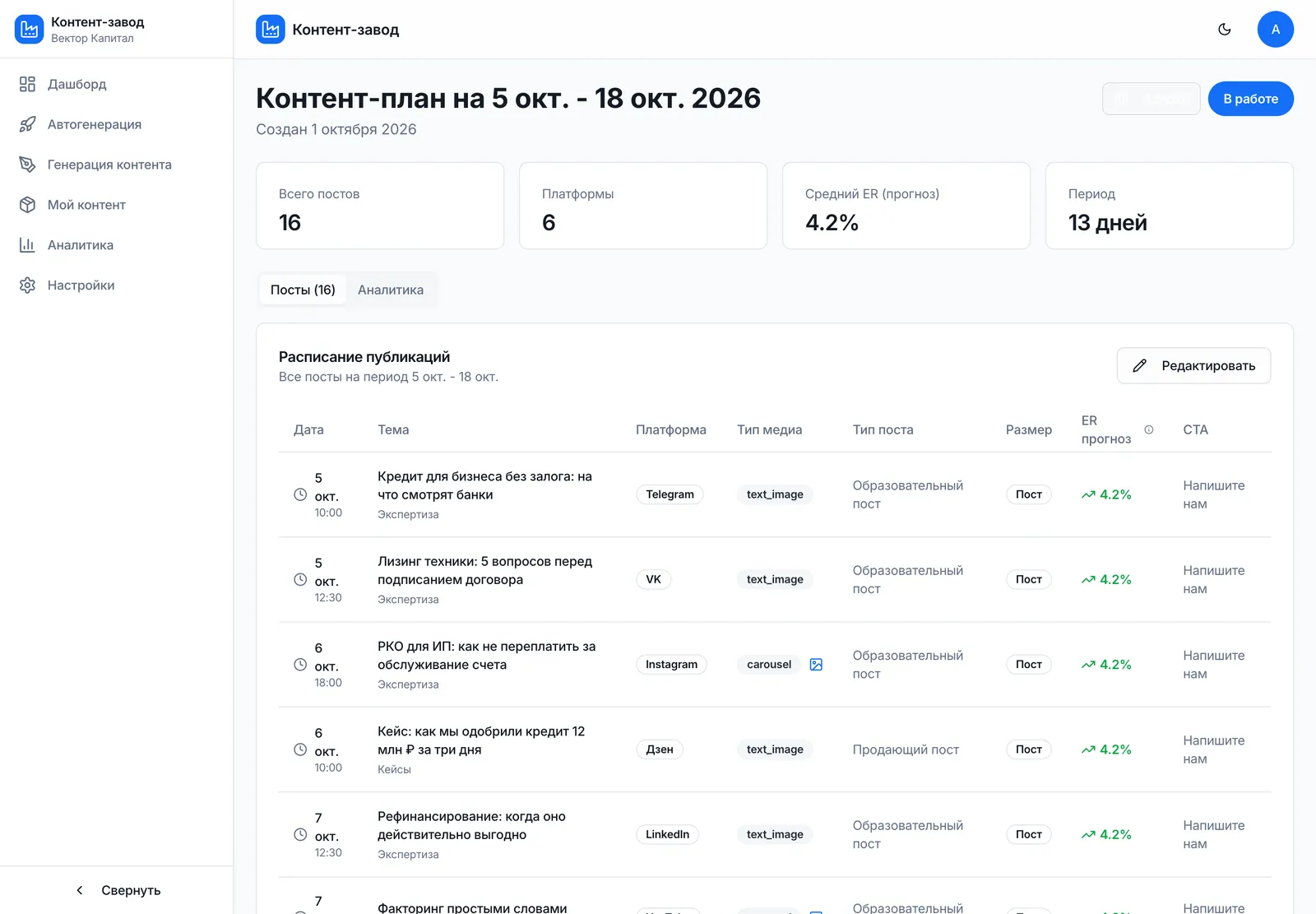
More screenshots

Content plan: publishing schedule by platform
Posts pending review, scheduled, and published
04 · Tech stack

Stack and approach

React + TypeScript
The platform’s workspace, where the executive sets up the brand and approves content
Python + FastAPI
The core of the system: handles generation, the publishing queue, and analytics
LLM and an image generation model
Generating copy, images, and graphics in the brand’s voice
Google Vertex AI, HeyGen, ElevenLabs
Video, talking avatars, and voiceover
Upload Post
The service that publishes finished content to social networks

Also used: Supabase — the platform’s database · YouTube Data API — YouTube publishing and analytics

How it works

Workspace · React + TypeScript
Brand setup
logo, colors, fonts, tone, competitors
Content plan
or build a post by hand
Generation · Python + FastAPI
LLM
copy
Image generation
graphics
Video, avatar, voiceover
Vertex AI, HeyGen, ElevenLabs
Branding
colors, font, logo applied to output
Supabase
companies, content, analytics
Approval and publishing
Approval queue
executive edits and approves
Upload Post
10+ social networks
Analytics and competitors
YouTube Data API and more
05 · Results

What the client got

The company now runs a full content cycle without a five-person social media team, and the executive spends 15–20 minutes a day on it.

10+
social networks, one dashboard
15–20
minutes a day on approvals
3
formats: text, images, and video
One tool creates text, images, and video with automatic branding
Post analytics and competitor tracking are built into the platform
One account manages several companies
06 · For your business

Who else this works for

A similar solution works for any company that needs to post on social media regularly while its experts are busy with their core work.

Financial and legal firms
Regular posts, carousels, and videos in an expert’s name, executive sign-off, and publishing to every platform at once
Clinics and medical centers
Doctors’ expert content in the clinic’s consistent style, approved by the medical director and published on schedule
Education companies
Course announcements, explainers, and short videos in the school’s voice, published across several platforms
Marketing agencies
Managing several clients from one account, each with its own brand, voice, and analytics

We build solutions like this around your needs: turnkey AI products, AI agents and automation, integrations, and data.

Our services
Get in touch

Want results like these?

Tell us about your project — we’ll talk it through and show you how to make this work for your business

We’ll set up a short call
We’ll scope your task and estimate it within 1 business day
You’ll get a clear implementation plan and transparent pricing
Alexander Yarygin
Founder, Glake
Replies personally
What can we help with?
Select one or more
or
Chat on LinkedIn

More case studies

AI monitoring of retail chain mentions
DevelopmentRetail

AI monitoring of retail chain mentions

Tracks posts about 15+ retail chains: topic, sentiment, virality score, and Telegram alerts

Global Import
AI video publishing on autopilot
DevelopmentContent

AI video publishing on autopilot

Send a video to a Telegram bot — it’s live on four platforms with title, description, and hashtags

Global Import
AI operations monitoring agent
DevelopmentMarketplaces

AI operations monitoring agent

Pulls Wildberries metrics, computes KPIs, and flags sales and ad anomalies

MPstats
All case studies