Glake
Get in touch
Development · Document management

AI assistant for a document management system

A chat assistant built into an electronic document management system takes plain-language requests, turns them into reports with charts, searches documents by meaning, and shows each user only what they’re allowed to see

NDA
Organization with its own document management system · up to 100,000 archived documents · multiple languages
Discuss a similar projectAll case studies
AI assistant for a document management system
25
report types from free-form requests
95.3%
accuracy picking the right report across 150 test queries
100,000
documents in the test archive for search
0
access violations across 94 checks
01 · The challenge

What the client needed

The organization keeps its directives, inquiries, correspondence, and assignments in its own electronic document management system (EDMS). The archive holds up to 100,000 documents, and employees use the system in several languages.

To keep tabs on their departments, leaders need reports: how many documents have been completed, which are overdue, and how busy each department is. The data was all in the system, but only people who knew which function to call and which parameters to set — period, department, document types — could actually get a report.

Reports came in fixed formats and were slow to generate on large datasets. Search only matched exact words, so it missed documents that used synonyms or matched a query only in meaning. Reports and search lived in separate sections, and queries had to be written in the interface language.

The goal was to bring reports and search into a single chat: users type a request and get back a report or the matching documents. The core system had to stay untouched, and access rights had to be enforced.

What stood in the way
Reports for insiders only
Only people who knew which function to call and which parameters to set could get a report.
Exact-match search
Search couldn’t find documents by synonym or meaning, so relevant documents often went unnoticed.
Two sections, one language
Reports and search lived in separate sections, and queries had to be written in the interface language.
02 · The solution

What we built

01

Reports for everyone

Users describe what they need in plain language, and the system works out the report type and parameters. They can export the finished report to Excel or PDF, or open it as an interactive chart with click-through details, and save the important ones to favorites. Heavy reports build in the background, and the system emails the user when they’re ready.

02

Search by meaning

The system interprets what a query means while also running a keyword search, ranks results by relevance, backs them up with quotes from the documents, and breaks complex questions into several steps.

03

One chat, multiple languages

Users can ask in any of several languages and get both reports and search in the same chat.

04

Access rights enforced

Before showing any results, the system checks the user’s permissions and filters out documents they can’t access.

03 · Demo

How a request gets answered

Let’s follow one request step by step, from a question in the chat to a finished report or search results.
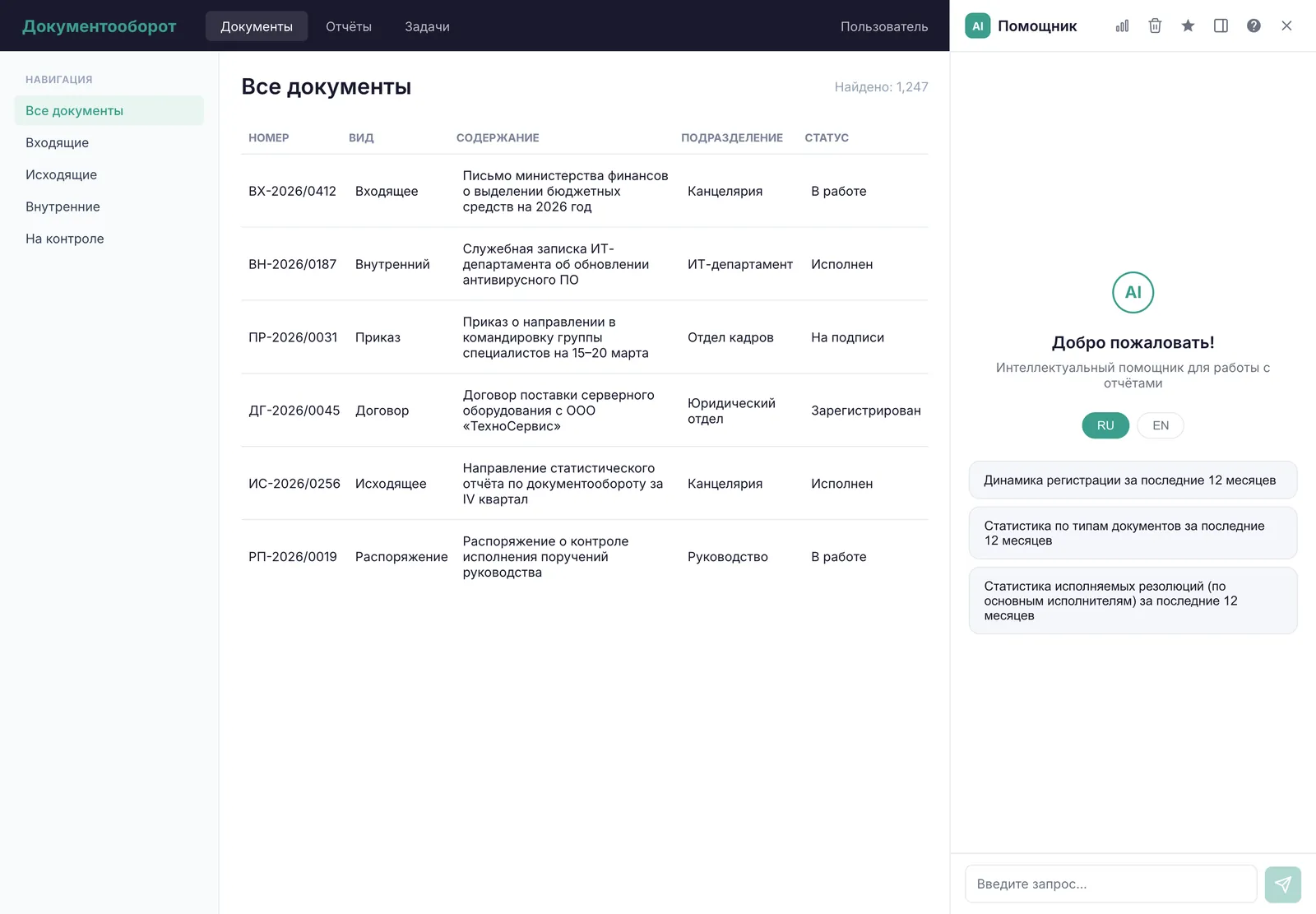
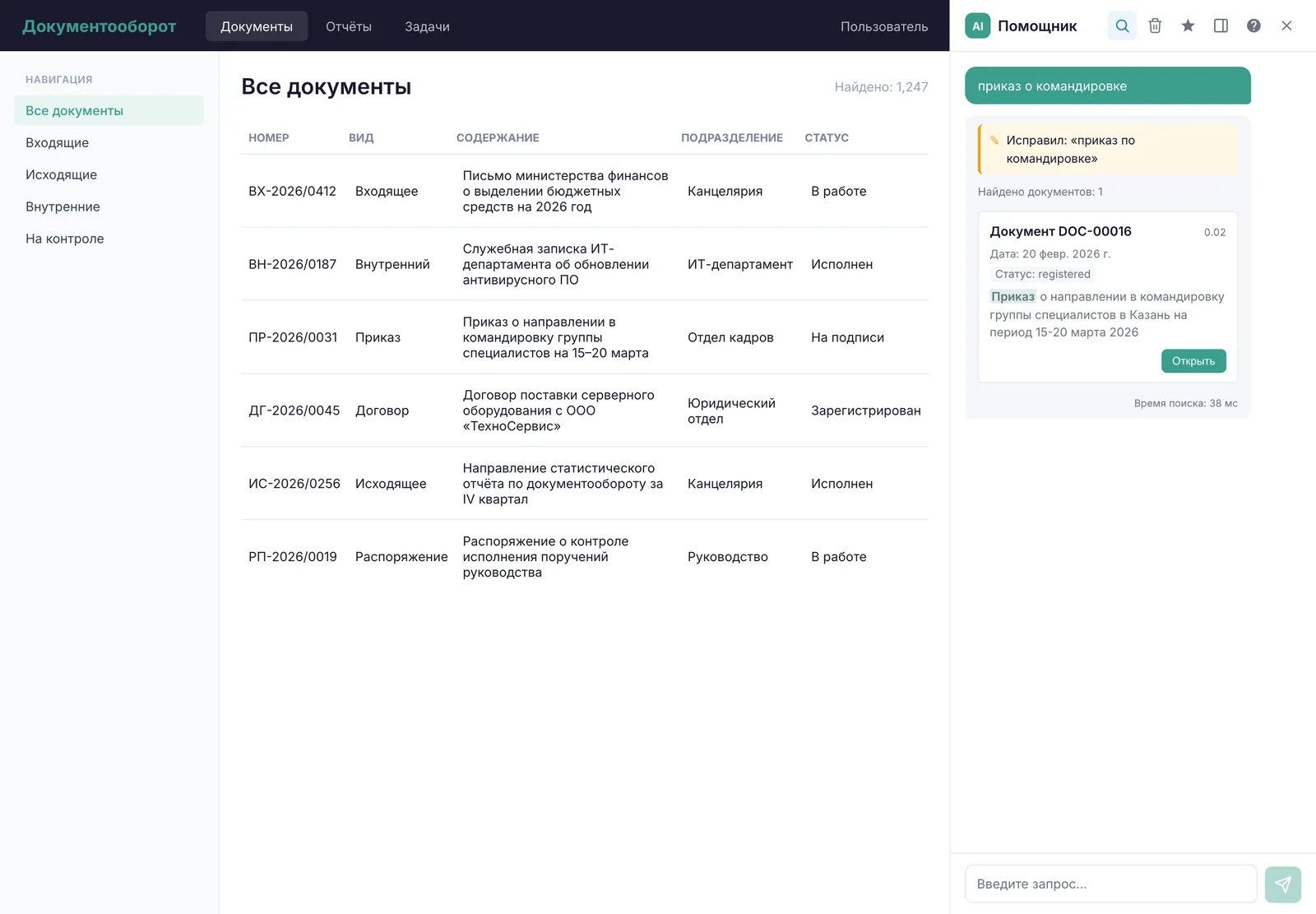
The chat assistant in the EDMS side panel
Step 1

Ask in the chat

The user types a request into the chat in the system’s side panel — for example, “show assignment completion by department for the quarter” or “find directives on business travel.” The system decides whether it’s a report request or a document search. The chat uses the core system’s login, so there’s no separate sign-in.
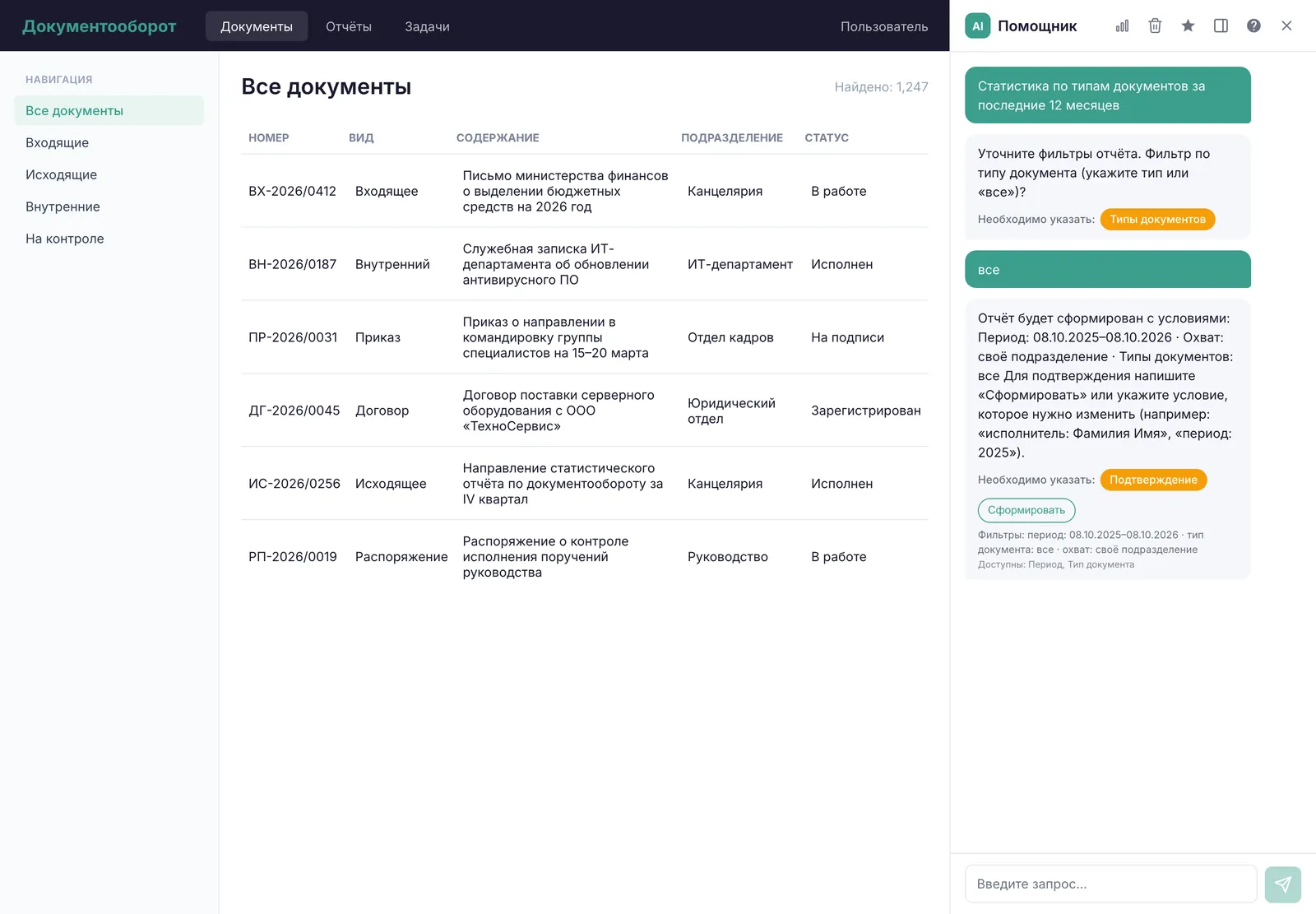
Building a report: the assistant clarifies filters and conditions
Step 2

Report

A classifier module picks the right report out of 25 types, and an extractor module pulls the period, department, document types, and language from the request. The system then calls the prebuilt report function on a read-only database replica that refreshes every 15 minutes, so the production database takes no extra load.
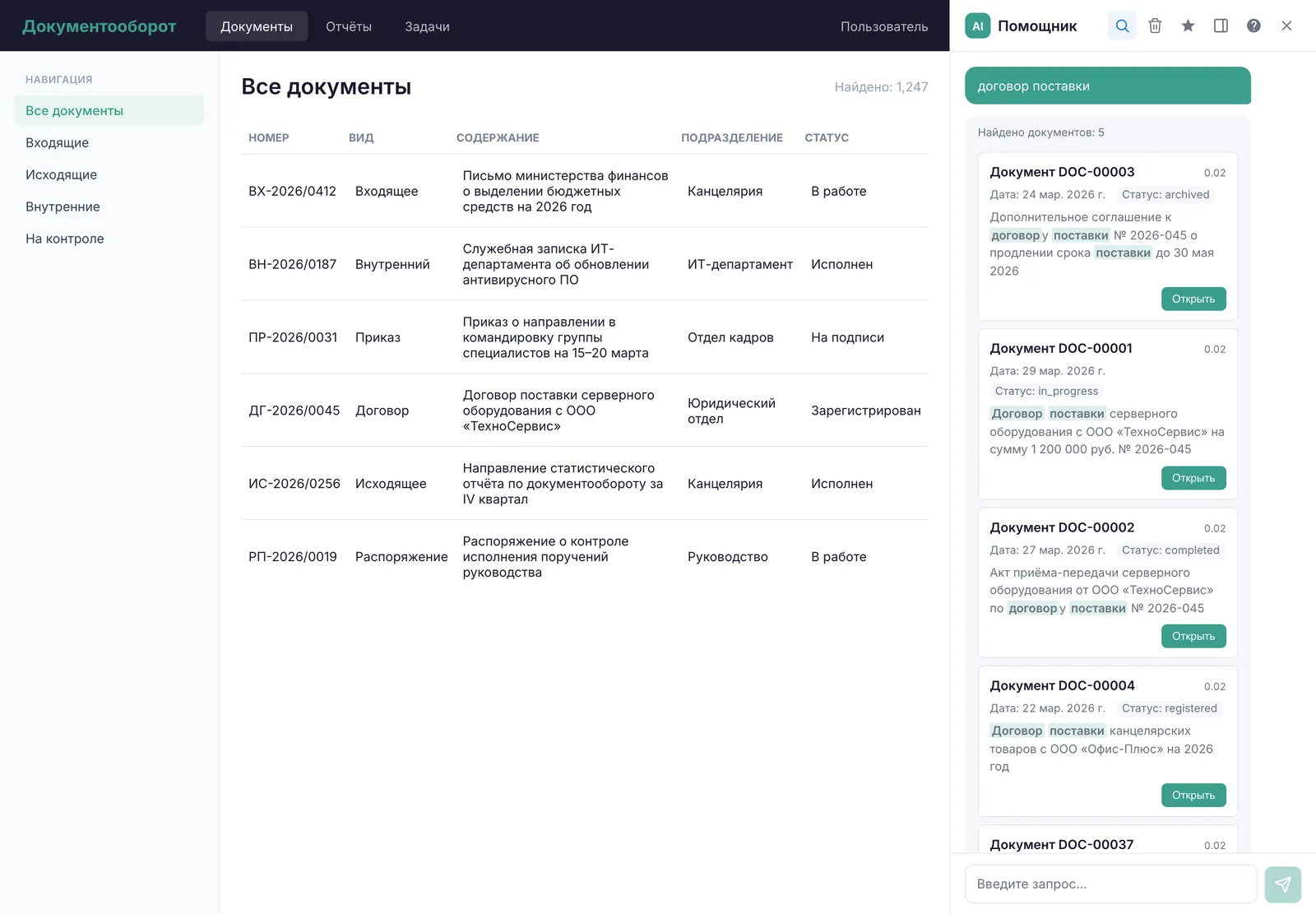
Semantic search: results with matches highlighted
Step 3

Search

Simple queries get a single search pass; complex ones are broken into several steps. The user then sees the top ten documents, with filters for date and status.

Step 4

Logs and ratings

Every action goes into an audit log: who searched, which documents they found, and which report they requested. Users rate each report as “useful” or “not useful,” and the team uses those ratings to decide what to improve.
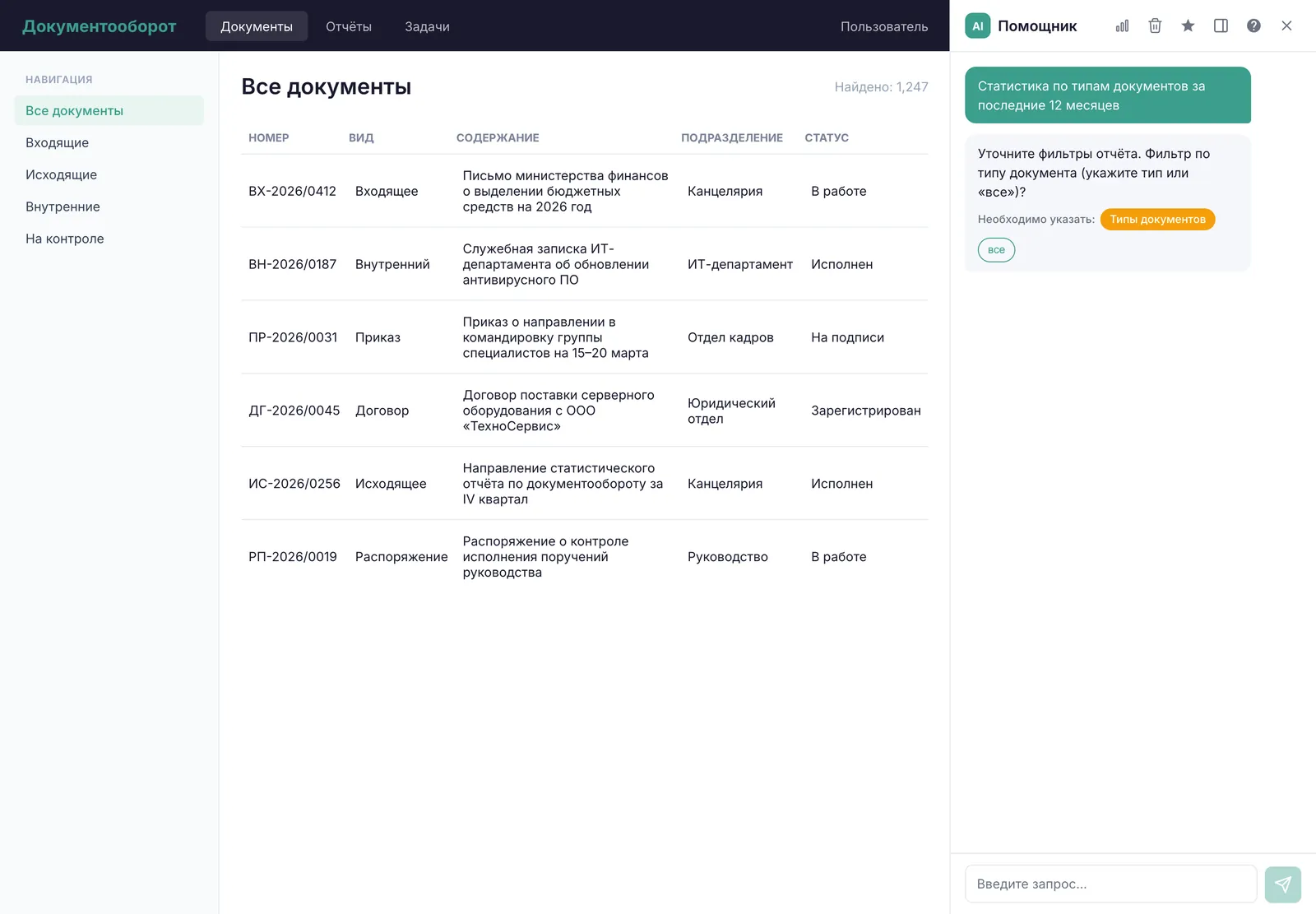
More screenshots

Clarifying report parameters
Search with query correction
04 · Tech stack

Stack and approach

Python + FastAPI
The service core: takes in requests and runs reports and search
PostgreSQL + Redis
The main database and its reporting replica, plus a cache and queues for long-running jobs
Qdrant + embeddings
A vector database, plus embeddings that turn text into numeric vectors for semantic search
LLM
The language model that identifies the request type and report parameters; it can run on the organization’s own server
Angular
The framework behind the chat widget embedded in the EDMS interface

Also used: Docker — containerized deployment · Prometheus and Grafana — monitoring

How it works

EDMS · side panel
Chat widget
Angular
Free-form question
multiple languages
Standalone service · FastAPI · core system untouched
Request type
LLM: report or search
Access check
before results are shown
Report
One of 25 report types + parameters
LLM: period, department, language
Prebuilt report function
read-only PostgreSQL replica, refreshed every 15 minutes
Excel, PDF, chart
heavy reports in the background, Redis
Search
Semantic + keyword search
Qdrant, embeddings
Complex questions
multi-step
Top 10 documents
quotes, date and status filters
Oversight
Audit log
who searched, what they found, which reports they ran
Report rating
useful or not useful
05 · Results

What the client got

The organization now has a chat assistant built into its EDMS: users ask a question in plain language and get back a finished report or the document they were looking for.

25
report types as Excel, PDF, or charts
95.3%
report selection accuracy across 150 test queries
5.8
seconds or less for 95% of report requests
100,000
documents indexed error-free
0
access violations across 94 checks
Same high accuracy in every query language
No changes to the core document management system
06 · For your business

Who else this works for

This works for any organization with a large document archive where only people who know the system inside out can pull reports or find documents.

Government and municipal agencies
Plain-language reports on assignment completion and deadlines, plus archive search that respects access rights
Multi-division companies and holding groups
One chat for reports and document search across multiple languages
Banks and insurers
Search across internal policies and correspondence, with access controls and an audit log
Education and healthcare networks
Document reports and search across directives, contracts, and inquiries — no technical skills required
Any organization with its own EDMS
One chat instead of separate sections for reports and search

We build solutions like this around your needs: turnkey AI products, AI agents and automation, integrations, and data.

Our services
Get in touch

Want results like these?

Tell us about your project — we’ll talk it through and show you how to make this work for your business

We’ll set up a short call
We’ll scope your task and estimate it within 1 business day
You’ll get a clear implementation plan and transparent pricing
Alexander Yarygin
Founder, Glake
Replies personally
What can we help with?
Select one or more
or
Chat on LinkedIn

More case studies

AI operations monitoring agent
DevelopmentMarketplaces

AI operations monitoring agent

Pulls Wildberries metrics, computes KPIs, and flags sales and ad anomalies

MPstats
AI sales assistant for technical products
DevelopmentB2B trade

AI sales assistant for technical products

Picks gases and equipment by spec, finds alternatives, and creates CRM deals in three channels

S-GAS
AI news agent for sellers
DevelopmentMarketplaces

AI news agent for sellers

A daily digest of 50+ marketplace Telegram channels: no ads or duplicates, rated by importance

MPstats
All case studies